



Welcome to NextGen AI!
This Quick Start Guide will help you set up your account, deploy your first AI agent, and begin automating tasks in just minutes. Whether you’re a business owner, team lead, or AI enthusiast, this guide will walk you through the essential steps to get the most out of your NextGen AI experience.
1. Create Your Account
To begin using NextGen AI:
- Navigate to our homepage and click “Start Now” or “Get Started.”
- Complete the sign-up form using your business email.
- Confirm your registration through the verification email.
- Log in to access your personalized dashboard.
Tip: Bookmark the dashboard URL for quick access.
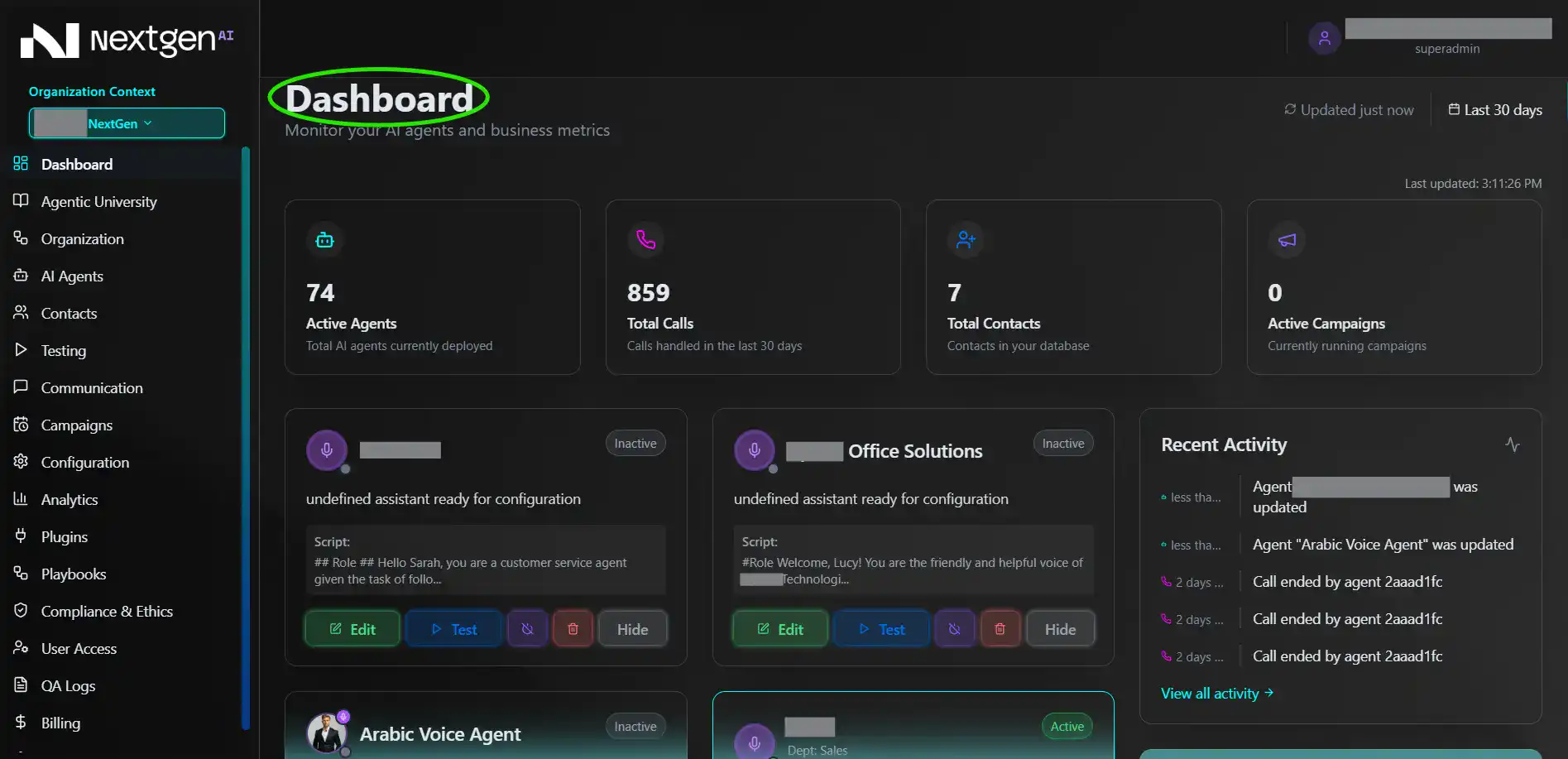
2. Explore Your Dashboard
Your dashboard is the control center for all your agents and automation tools. Here you can:
- View your deployed agents
- Create new agents
- Manage settings & integrations
- Track usage and activity
Spend a few minutes familiarizing yourself with the interface — it’s designed to be intuitive and beginner-friendly.
3. Deploy Your First AI Agent
Deploying an agent is fast and simple:
- Click “Create Agent” on your dashboard.
- Choose an agent type (support bot, sales assistant, content generator, etc.).
- Name your agent and provide basic instructions (role, behavior, personality).
- Save and deploy.
Your agent will be ready immediately. You can begin interacting with it right away.
4. Customize Agent Settings
Every agent can be customized to fit your business needs:
- Adjust tone and writing style
- Set task parameters
- Enable memory (if applicable)
- Add system prompts or instructions
- Connect tools or integrations
Customization helps your agent stay aligned with your brand, workflows, and preferences.
5. Test Your Agent
Before using your agent in a live environment:
- Run several test prompts.
- Review the outputs for accuracy and tone.
- Adjust instructions or settings as needed.
Testing ensures your agent performs consistently and meets your expectations.
6. Connect Integrations (Optional)
To unlock more powerful automations, you can integrate your agent with tools such as:
- Email providers
- CRM systems
- Project management software
- Communication apps (Slack, Teams, etc.)
Integrations allow your agent to work inside your existing workflows.
7. Monitor Agent Performance
The Analytics and Activity Log sections help you track:
- Task completions
- Response quality
- Usage trends
- Efficiency gains
Use this data to refine your agents over time for maximum performance.
8. Scale Your Usage
Once your first agent is performing well:
- Add more agents for different teams
- Create specialized agents for unique workflows
- Explore advanced templates
- Use automations and triggers to streamline more tasks
NextGen AI is built to scale with your business.
Need Help?
If you ever need support:
- Visit our Help Center
- Contact our team at [email protected]
- Schedule a walkthrough with our onboarding specialists
We’re here to ensure you get the most value from NextGen AI.